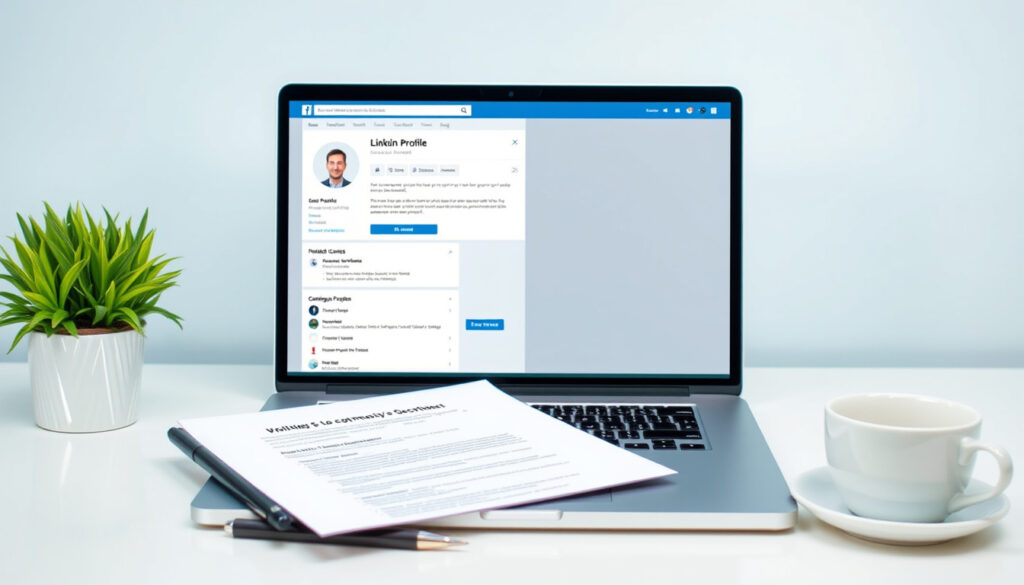
How to Create a LinkedIn Profile: Step‑by‑Step Guide
You’ve probably heard that LinkedIn is essential for career growth, but the blank profile page can be intimidating. With over 1 billion members worldwide, a well-crafted profile can unlock opportunities—but only if you know how to balance visibility with privacy.
LinkedIn members worldwide: 1 billion (2024 official data) ·
Increase in profile views with a photo: 14 times more (LinkedIn research via The Muse) ·
Recruiters who actively use LinkedIn: 42% (industry survey)
Quick snapshot
- LinkedIn allows only one personal profile per user (LinkedIn Privacy FAQ)
- Profiles with a photo receive 14 × more views (The Muse)
- The 4‑1‑1 rule is widely recommended for content sharing (BridgeView Technology)
- Exact impact of posting during the “golden hour” varies by industry and audience
- Long‑term effects of LinkedIn on mental health are not fully documented
- LinkedIn hit 1 billion members in 2024, signalling the platform’s growing dominance in professional networking (LinkedIn Privacy FAQ)
- LinkedIn continues adding privacy controls; job‑seekers should monitor Settings updates (LinkedIn Managing Privacy Settings)
Four key facts about creating a LinkedIn profile, each backed by official data:
| Fact | Detail |
|---|---|
| Registration | Free, requires first name, last name, email, and password (LinkedIn Privacy FAQ) |
| Profile completeness | All‑star profiles are 40 × more likely to receive opportunities (The Muse) |
| Photo requirement | Profiles with a photo get 14 × more views (Frontline Source Group) |
| Recommended posting frequency | 1–2 times per week (BridgeView Technology) |
| Custom URL | Creating a custom LinkedIn URL improves professional polish (Frontline Source Group) |
| Skills section | Adding relevant skills increases appearance in recruiter searches (The Muse) |
| Recommendations | Endorsements and recommendations build social proof |
| Privacy settings for job search | Turn off profile update sharing and use recruiter‑only Open to Work (LinkedIn Managing Privacy Settings) |
How do I create a good LinkedIn profile?
Signing up for LinkedIn
- Go to LinkedIn.com and enter your first name, last name, email address, and a password. You can also sign up with your Google or Apple account (LinkedIn Privacy FAQ).
- Verify your email address via the confirmation link sent to your inbox.
- Select your country/region and choose a profile language (English is default for most).
Adding your professional photo
- Upload a headshot with a neutral background, no sunglasses, and a friendly expression (The Muse).
- LinkedIn recommends a square photo at least 400 × 400 pixels.
- Profiles with a photo get 14 × more views, so this step alone can dramatically boost your visibility.
Filling in your work history and education
- Add each position with a clear job title, company name, dates, and a 2–3 sentence description that includes measurable achievements (Frontline Source Group).
- Include your education with degrees, institutions, and graduation years.
- Fill out the “About” section with a keyword‑rich summary that reflects your target role (The Interview Guys).
What this means: The difference between a sparse profile and a fully optimized one isn’t just looks—it’s a 40× increase in opportunities according to LinkedIn’s own data.
How should I describe myself on LinkedIn?
Writing a compelling headline
- Your headline appears under your name in search results. Use keywords like “Marketing Manager” or “Software Engineer” rather than just your current job title (Frontline Source Group).
- Add a value proposition: “Helping B2B companies grow revenue” or “Python developer passionate about climate tech.”
Crafting an engaging summary section
- Write 3–5 sentences that tell your story: what you do, who you serve, and what results you deliver (The Muse).
- Avoid generic phrases like “hardworking” or “team player.” Instead, say “Led a team of 12 to reduce customer churn by 18% in one year.”
- Include a call to action: “Connect if you’re hiring for a senior product role.”
Using keywords for your industry
- Scan job descriptions for your target role and extract 5–10 common keywords. Sprinkle them naturally into your headline, summary, and experience sections (The Interview Guys).
- Example: for a data analyst role, include “SQL,” “Tableau,” “statistical analysis,” and “data visualization.”
Your LinkedIn profile is a search engine for recruiters. Without the right keywords, even the most impressive career story stays invisible. Spend 15 minutes researching the terms used in five job ads, then weave them into your headline and summary.
The pattern: The most visible profiles are those that speak the language of the target industry—both human language and recruiter search language.
What to avoid posting on LinkedIn?
Overly personal or controversial content
- LinkedIn is a professional network; political rants, personal grievances, and overly emotional posts damage your reputation (Inside Track Jobs).
- Stick to industry insights, career advice, and thoughtful commentary on professional topics.
Poor grammar and unprofessional language
- Posts with typos, slang, or all‑caps reduce credibility quickly.
- Read every post aloud before publishing, and use a grammar checker like Grammarly if needed.
Spammy self‑promotion
- The 4‑1‑1 rule suggests sharing 4 pieces of curated content, 1 original post, and 1 promotional post per cycle (BridgeView Technology).
- Avoid posting the same message in multiple groups or direct‑messaging strangers with sales pitches.
One off‑topic post can undo months of careful branding. Recruiters often skim a user’s recent activity before reaching out—if they see negativity or spam, they move on.
Why this matters: Your LinkedIn feed is a living portfolio. Every post either builds or erodes the professional image you’re trying to create.
Can I have two separate LinkedIn profiles?
LinkedIn’s official policy on multiple profiles
- LinkedIn’s terms allow only one personal profile per user (LinkedIn Privacy FAQ).
- Having two profiles can lead to account restriction or permanent suspension.
When you might need a second account
- If you manage a business, create a separate LinkedIn Page for the company instead of a second personal profile.
- Freelancers can use a single profile and list their business under “Experience.”
Managing multiple profiles without violating terms
- You can switch between a personal profile and a LinkedIn Page from the same account.
- Never create a duplicate personal account—even for a “professional” and “personal” persona. Use privacy settings to control visibility (LinkedIn Managing Privacy Settings).
The trade‑off: Two profiles might seem useful, but the risk of losing access to both is real. One profile with careful privacy controls is safer and more effective.
What are the downsides of using LinkedIn?
Privacy concerns and data usage
- LinkedIn uses your data for targeted advertising; you can adjust privacy settings to limit data sharing (LinkedIn Privacy FAQ).
- Job‑search activity is not shared with your network by default, but profile edits can trigger notifications unless you turn off “Share profile updates” (LinkedIn Managing Privacy Settings).
Time consumption and notification overload
- Excessive use can lead to burnout; set boundaries by muting non‑essential notifications and limiting daily browsing to 20 minutes (Inside Track Jobs).
- Treat LinkedIn as a tool, not a social network—log in with a purpose.
Pressure to maintain an active presence
- Some professionals leave LinkedIn due to low return on investment or exposure to negativity (ConnectSafely AI article).
- You don’t need to post daily. A thoughtful update once a week is enough to stay visible.
The implication: LinkedIn offers powerful networking, but only if you control your time and privacy. The platform rewards intentional use—mindless scrolling rarely leads to opportunities.
Upsides
- Free access to a global professional network
- Job‑search features with recruiter‑only visibility
- Ability to showcase skills, endorsements, and recommendations
- Learning resources via LinkedIn Learning
Downsides
- Privacy risks if settings are left at default
- Time‑consuming to maintain an active profile
- Pressure to post regularly can cause stress
- Limited to one personal profile per user
Steps to create your LinkedIn profile
- Sign up with your email or Google/Apple account. Verify your email. (LinkedIn Privacy FAQ)
- Add a professional photo – a clear headshot with a plain background.
- Write your headline using keywords from your target role. (Frontline Source Group)
- Fill out the About section with a 3–5 sentence summary that includes achievements and a call to action.
- List your experience and education – each position should have quantifiable results.
- Add your skills – choose up to 50 relevant skills from LinkedIn’s list.
- Customise your LinkedIn URL (e.g., linkedin.com/in/yourname).
- Adjust privacy settings – turn off profile update sharing and set job‑search preferences to “recruiters only.” (LinkedIn Managing Privacy Settings)
- Start connecting – import your email contacts or search for colleagues.
- Set a posting schedule – one or two posts per week following the 4‑1‑1 rule. (BridgeView Technology)
What we know for sure vs. what’s still uncertain
Confirmed facts
- LinkedIn allows only one personal profile per user. (LinkedIn Privacy FAQ)
- A professional photo increases profile views by 14×. (The Muse)
- The 4‑1‑1 rule is widely recommended. (BridgeView Technology)
- Job‑search activity is not shared with your network by default. (LinkedIn Privacy FAQ)
What’s unclear
- The exact impact of posting during the “golden hour” varies by industry. (ConnectSafely AI article)
- Long‑term effects of LinkedIn on mental health are not fully documented.
- Whether the Open to Work recruiter‑only setting effectively hides the status from current employers in all cases. (ConnectSafely AI article)
What the experts say
“Job search activity on the platform is not shared with others, and it does not send updates or notifications to your connections or employer when you view or apply for a job through LinkedIn.”
— LinkedIn Privacy FAQ (official LinkedIn guidance)
“A keyword-rich headline improves discoverability in recruiter searches. Don’t just list your job title—describe the value you bring.”
— Career expert, Forbes contributor (via Frontline Source Group)
“Turning off activity broadcasts before updating your profile is essential for discretion during a job search.”
— Inside Track Jobs (privacy guide)
Editor’s note: The most successful LinkedIn users treat the platform as a strategic tool, not a social network. For job seekers in New Zealand, the choice is clear: invest time in a complete, privacy‑savvy profile, or risk being overlooked in a competitive market.
insidetrackjobs.com, hyperclapper.com, linkedin.com, askcruit.com, linkedin.com
Frequently asked questions
How do I change my LinkedIn profile name?
Go to your profile, click the pencil icon next to your name, and edit your first and last name. LinkedIn allows you to display a preferred name, but you must use your real identity (LinkedIn Privacy FAQ).
What is the best LinkedIn headline for students?
Use a headline like “Student at [University] | Aspiring [Career Field] | Seeking internships in [Industry].” This signals your status and interests to recruiters (The Muse).
How to add skills to your LinkedIn profile?
In your profile, scroll to the “Skills” section, click the plus sign, and start typing skills. You can add up to 50 skills. Endorsements from connections boost your credibility (Frontline Source Group).
Can I hide my LinkedIn profile from search engines?
Yes. Go to Settings & Privacy → Visibility → Edit your public profile. Toggle “Profile visibility off” to hide your profile from search engines (LinkedIn Managing Privacy Settings).
What is the ideal LinkedIn profile picture size?
LinkedIn recommends a square photo of at least 400 × 400 pixels. Use a high‑resolution headshot with a plain background (The Muse).
How to write a LinkedIn summary with no experience?
Focus on your education, volunteer work, projects, and soft skills. Example: “Motivated graduate with a Bachelor’s in Marketing. Lead a student project that increased event attendance by 30%. Eager to contribute to a dynamic marketing team.” (The Interview Guys)
Do LinkedIn endorsements matter?
Endorsements add social proof but are less impactful than detailed recommendations. A recommendation from a manager or colleague carries more weight (BridgeView Technology).
How to delete a LinkedIn account?
Go to Settings & Privacy → Account → Close your LinkedIn account. Follow the prompts. Be aware that all data will be permanently removed after a short grace period (LinkedIn Privacy FAQ).
More related posts
 Southland Times Death Notices – Guide to Latest Invercargill Obituaries
 Open BNZ Account Online: Guide for Residents & Non-Residents
 Rhythm and Vines 2025: Tickets, Lineup & Dates
 Share Trading for Beginners: Step-by-Step Guide & Myths
 Breaking News Earthquake Today: Updates and Answers
 Kids Table and Chairs: Best Picks & Buying Guide
 When is the Next Admin Abuse in Steal a Brainrot? (2026)
 Long Island Iced Tea: Ingredients, Recipe, Alcohol Content
