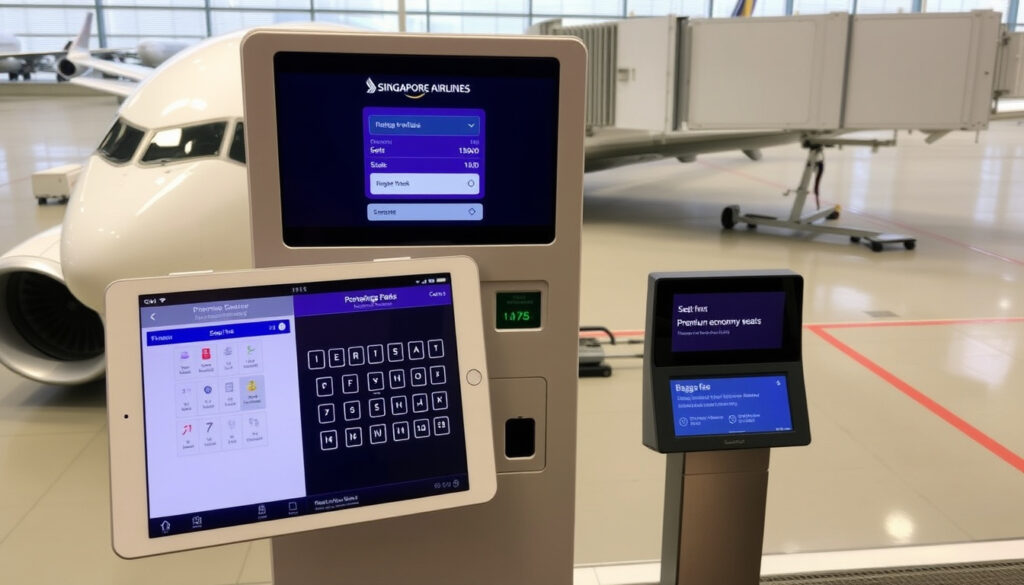
Singapore Airlines Manage Booking: Seats, Check-In, Fees
If you’ve ever tried to find your booking after buying a Singapore Airlines ticket, you already know the official site can feel like a maze of tabs. That’s why this guide walks through the exact steps to manage your booking — from seat selection to online check-in — using the airline’s own tools and timings, and shows where fees apply and how to dodge the most common snags.
Online check-in opens: 48 hours before departure ·
Seat selection fee: Varies by route and fare class ·
Manage booking access: Via booking reference or KrisFlyer account ·
Customer service hours: 24 hours a day, 7 days a week
Quick snapshot
- Access via singaporeair.com/managebooking (Singapore Airlines Check Your Booking)
- Requires booking reference or KrisFlyer login (Singapore Airlines Check Your Booking)
- Perform seat selection, check-in, changes, and refunds (Singapore Airlines Check Your Booking)
- Available after booking in Manage Booking (Singapore Airlines Seat selection FAQ)
- Fees vary by route and fare class (Singapore Airlines Seat Selection)
- Complimentary for certain fare types (Singapore Airlines Seat selection FAQ)
- Opens 48 hours before departure (Singapore Airlines Check-in)
- Closes 90 minutes before flight (Singapore Airlines Check-in)
- Boarding pass delivered via email or app (Singapore Airlines Check-in)
- 24-hour call center: +65 6223 8888 (Singapore Airlines Check-in)
- Live chat on singaporeair.com (Singapore Airlines Check-in)
- Service fees apply for phone changes (Singapore Airlines Check-in)
Five key facts summarise the core mechanics you need to know before diving into the Manage Booking portal.
| Fact | Value |
|---|---|
| Online check-in opens | 48 hours before departure |
| Seat selection fee | Varies; some fares include free selection |
| Manage Booking URL | singaporeair.com/managebooking |
| Customer service hours | 24/7 |
| Booking reference format | 6-character alphanumeric code |
How to select seat after booking Singapore Airlines?
Selecting seats during booking
- When you book a ticket on singaporeair.com, seat selection is offered during the booking flow. You can choose a seat immediately if your fare type allows advance selection.
- Some fare types (e.g., Flexi) include complimentary seat selection at booking. Others, like Economy Lite, charge a fee for advance seat choice.
Selecting seats after booking via Manage Booking
- If you skipped seat selection or want to change it, log into the Manage Booking page. Enter your booking reference and last name to retrieve the reservation.
- Once the booking loads, click “Seat selection” to see an interactive seat map. Available seats are colour-coded by category (standard, extra legroom, preferred).
- You can also change a seat during online check-in and save the new assignment before printing the boarding pass again.
Seat selection for groups
- Group bookings (10 or more passengers) must be handled through Singapore Airlines’ group desk, not the Manage Booking portal. Contact the airline’s group sales team directly for seat assignments.
- For smaller groups, each passenger can individually select seats online if the booking reference allows.
The implication: if you want a guaranteed good seat ahead of time, you likely have to pay unless you qualify for a free selection window.
How do I check my booking on Singapore Airlines?
Using booking reference
- Go to singaporeair.com/managebooking. Enter your 6-character booking reference and last name exactly as it appears on your ticket.
- No password is needed for this method — ideal for passengers who booked via a travel agent or don’t have a KrisFlyer account.
Using KrisFlyer account
- Log in to your KrisFlyer account on singaporeair.com. All bookings linked to your account will appear under “My Bookings”.
- This method shows upcoming and past trips, along with the ability to manage multiple bookings in one place.
Checking booking status and itinerary
- After retrieval, the booking status displays: “Confirmed”, “Waitlisted”, “Unconfirmed”, or “Checked-in”.
- You can view the full itinerary, flight times, seat assignments, and meal preferences. Changes to the booking are allowed until 48 hours before departure.
What this means: the system is designed for self-service, reducing the need to call customer support unless your booking has special conditions.
How to web check-in for Singapore Airlines?
Web check-in steps
- Visit singaporeair.com and click “Check-in” or navigate through Manage Booking. Enter your booking reference and last name.
- Follow the on-screen prompts to confirm travel documents, select or change a seat, and add baggage if needed.
- Once confirmed, you can download your boarding pass as a PDF or receive it via email.
Check-in window and deadlines
- Online check-in opens exactly 48 hours before the scheduled departure time. It closes 90 minutes before the flight for website check-in.
- The mobile app check-in closes 60 minutes before departure.
- If you miss the online window, airport check-in counters open 3 hours before departure for most flights.
Mobile check-in alternative
- Download the Singapore Airlines app (available for iOS and Android) and log in with your booking reference or KrisFlyer account.
- The app offers the same check-in functions as the website, plus mobile boarding pass storage and real-time flight updates.
The catch: once the window closes, only airport counters remain, which can be slower during peak hours.
How early can I check-in for Singapore Airlines?
Online check-in opening times
- Online check-in starts 48 hours before departure for all markets. For example, if your flight departs at 10:00 PM on Friday, check-in begins at 10:00 PM on Wednesday.
- The system stops accepting online check-in 90 minutes before departure. After that, you must use airport counters.
Airport check-in counter hours
- Singapore Airlines’ airport check-in counters generally open 3 hours before scheduled departure. For long-haul flights, they may open 4‑5 hours in advance, especially at Changi Airport.
- If you’re flying from a smaller regional airport, counter hours can vary — check the airport’s website or the airline’s travel info page for your departure location.
Special check-in for flights to the US
- Flights to the United States require additional security checks (eg, APIS data). Singapore Airlines asks passengers to arrive at least 3 hours before departure to allow extra screening time.
- Online check-in is still available 48–1.5 hours before departure, but at the airport you must present your passport and any required ESTA or visa documents.
The pattern: Singapore Airlines offers one of the industry’s longest online check-in windows at 48 hours. The trade-off is that if you miss the 90‑minute deadline, you’re stuck with airport counters, which can be slower during peak hours.
How much is the seat selection fee on Singapore Airlines?
Fee structure by route and class
- Seat selection fees are not published in a single list. Prices vary by route, fare class, and seat category. For instance, selecting a standard Economy seat on a short‑haul route may cost less than S$30, while an Extra Legroom seat on a long‑haul flight can exceed S$100.
- Premium Economy and Business Class seats generally include free seat selection at booking.
Complimentary seat selection
- For Economy passengers who don’t want to pay, complimentary selection is available from remaining seats once online check-in opens — 48 hours before departure.
- KrisFlyer Elite Silver, Gold, and PPS Club members can select certain preferred seats for free regardless of fare type.
Fee payment and refund policy
- Seat selection fees are non‑refundable unless the airline cancels or changes the flight.
- If you voluntarily change your booking, the fee paid for the original seat selection may be forfeited. A new fee applies for the new seat.
The implication: passengers who value certainty should consider paying during booking, while those flexible with seat location can wait for the free window.
Step-by-step: How to manage your booking from start to finish
- Retrieve your booking. Go to singaporeair.com/managebooking. Enter your booking reference (6‑alphanumeric code) and last name.
- Select your seat. Click “Seat selection”. Purple seats are standard (free at check‑in), yellow seats are preferred (fee), and silver seats are extra legroom (higher fee).
- Add baggage. If your fare doesn’t include checked baggage, you can pre‑purchase it here. Payment is processed through the secure checkout.
- Check in online. After seat selection, proceed to check‑in. Verify your passport details and any visas. Submit to receive your boarding pass.
- Download or email your boarding pass. Save the PDF or forward it to your email. You can also use the mobile app to store it in Apple Wallet or Google Pay.
- Change or cancel (if needed). If your plans change, the same Manage Booking page allows you to modify flights or request a refund — though change fees may apply.
What this means: the entire self-service flow is designed to minimise phone calls, but you must act within the 48‑hour window for free seat selection and check-in.
What’s confirmed and what’s unclear about Singapore Airlines Manage Booking
Confirmed facts
- Web check‑in is available from 48 hours to 90 minutes before departure (Singapore Airlines Check-in).
- Seat selection fees are charged per passenger per segment (Singapore Airlines Seat Selection).
- Manage Booking can be accessed without a KrisFlyer login using just the booking reference (Singapore Airlines Check Your Booking).
- Auto check‑in can be turned on up to 48 hours before departure (Singapore Airlines Auto check-in).
What’s unclear
- Exact seat selection fee amounts for each route are not publicly listed on a single page.
- Refund policies for seat selection fees depend on fare type and the reason for the change — beyond the cancellation policy, the terms can be ambiguous.
Quotes from the source
“Passengers can select seats in advance for free or for a fee depending on fare type and class of travel.”
Singapore Airlines Fare Types (official airline page)
“Online or mobile check‑in is available between 48 hours and 1.5 hours before departure.”
Singapore Airlines Check-in (Singapore market page)
“You may pre-select any available Economy Class seat for free when online check‑in opens.”
Singapore Airlines Seat Selection (US market page)
What these quotes reveal: Singapore Airlines draws clear boundaries between free and paid seat selection. The free window only activates at check‑in — so if you want a guaranteed good seat ahead of time, you almost always have to pay.
What this means for you
Singapore Airlines’ Manage Booking system is solidly built for a single purpose: letting passengers handle their own travel changes without calling customer service. The 48‑hour check‑in window is generous, and the ability to change seats during check‑in gives you one last shot at a better spot. For passengers flying Economy on a Lite fare, the smartest move is to set a calendar reminder for 48 hours before departure — that’s when free seat selection opens. For those who value certainty, paying for a preferred seat during booking may be worth the S$30–S$100. The trade‑off for flexibility seekers is clear: wait for free seat selection and accept whatever’s left, or pay upfront for your ideal spot.
singaporeair.com, singaporeair.com, travanya.com, reddit.com, singaporeair.com, singaporeair.com, singaporeair.com, singaporeair.com, singaporeair.com, singaporeair.com, singaporeair.com
When selecting your seat during the booking process, refer to the Singapore Airlines seat maps to view the cabin layout and choose your preferred spot.
Frequently asked questions
How do I change my flight on Singapore Airlines after booking?
Log into Manage Booking and select “Change flight”. Fees apply depending on your fare type. You can also call the 24‑hour service centre for assistance.
Can I cancel my Singapore Airlines booking online?
Yes, through Manage Booking. Refunds depend on fare conditions. Some non‑refundable fares may only receive taxes back.
What is the change fee for Singapore Airlines?
Change fees vary by fare type and are not publicly listed in one table. You see the fee during the change process in Manage Booking.
How do I add baggage to my Singapore Airlines booking?
Go to Manage Booking, select “Add baggage”, and purchase the allowance. Payment is immediate. Pre‑purchasing is cheaper than at the airport.
Can I select a seat for my infant on Singapore Airlines?
Yes, infants (under 2) can be assigned a seat, but only in the same row as an accompanying adult. You may need to call customer service for adjacent seat assignment.
Do I need to print my boarding pass after web check‑in?
No, you can present the mobile boarding pass from the app or a downloaded PDF. Some airports may require a printed copy — check local requirements.
How do I request a special meal on Singapore Airlines?
Log into Manage Booking, go to “Meal preferences”, and choose from over 15 meal types (vegetarian, halal, etc.). Requests must be made at least 24 hours before departure.
Related reading: Auckland to Brisbane Flights: Times, Prices & Airlines · Air New Zealand Call: Official Phone Numbers & 24/7 Support
More related posts
 Punjab Kings vs Delhi Capitals: Record Chase Scorecard
 ANZ Term Deposit Rates: Best 5.30% p.a. & Bank Comparison
 Warriors vs Sea Eagles: 2026 Schedule, Stats & Rivalry
 ANZ KiwiSaver Withdrawal Form: How to Withdraw & Documents
 Cheapest Gas Provider NZ: Compare & Save in 2025
 D-Wave Share Price Analysis: Is QBTS a Good Buy
 His and Hers Cast: Tessa Thompson, Jon Bernthal & Full List
 Why Does Trump Want Greenland – Strategic Reasons Explained
